
PRE-SEASON BADLANDS PASSION PLAY COUPON HOLDERS:
How to redeem your coupon for the Badlands Passion Play
and choose your performance day and seats:
Step 1:
Log In to Your Account
-
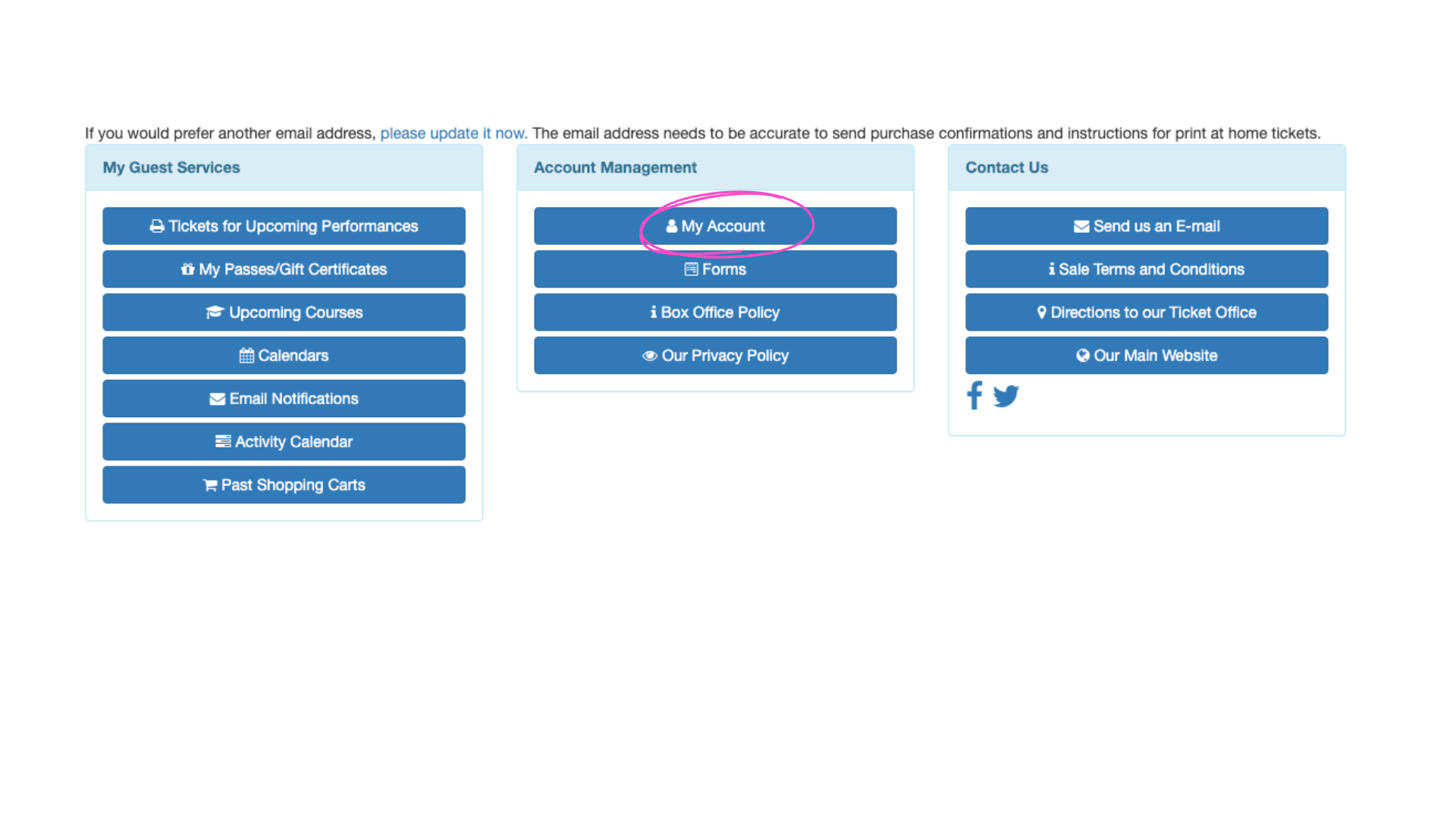
On your Home Page, view your purchases.
-
Your coupon is listed under My Passes / Gift Certificates.
First time logging in or forgot your password?
-
Click Reset Password to receive an email with instructions.
-
After resetting, click Update Account to complete the process.
-
You’ll receive a confirmation email. Didn’t get it? Try again and follow the steps closely.
Step 2:
Choose Your Performance Date
-
Go to tickets.badlandsamp.com
-
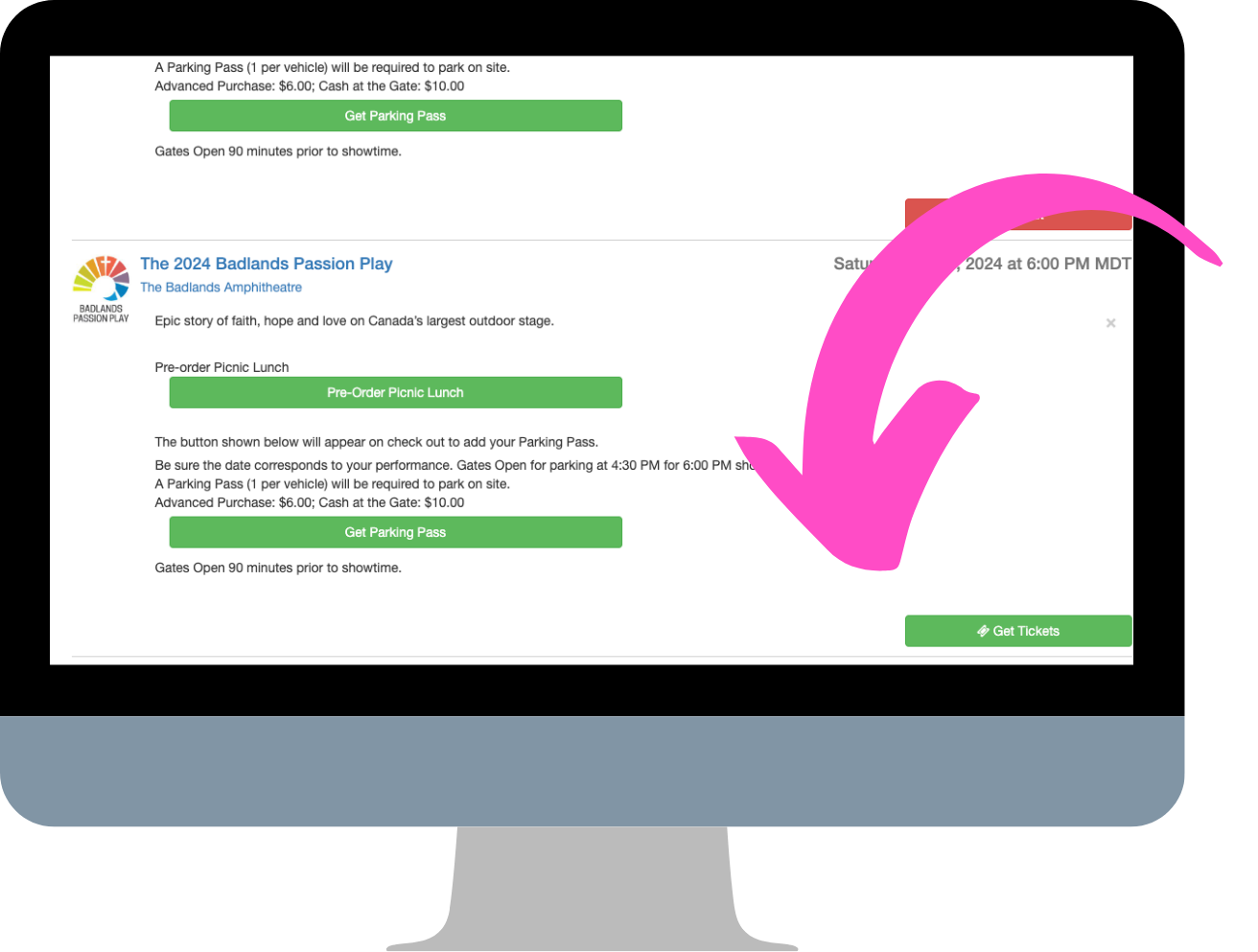
Scroll to the date you’d like to attend
-
Click GET TICKETS
Step 3:
Select Your Seats
-
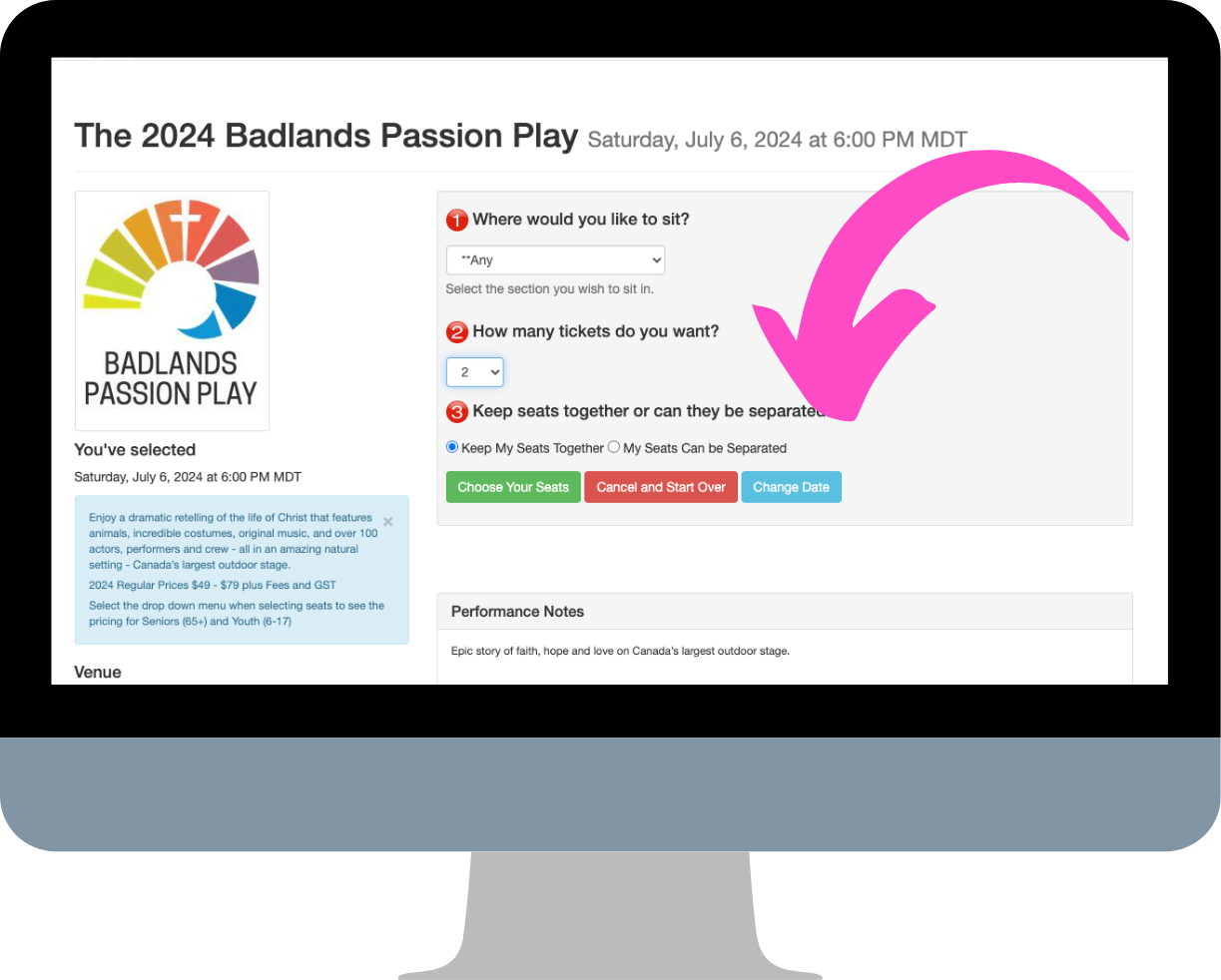
Choose your preferred section and seats
-
(Tip: Leaving “Where would you like to sit?” set to Any shows the best available seats)
-
The seating map will appear below
-
To change seats: select new ones on the map, then click Change to Newly Selected Seats
-
Click Add to Cart
Step 4:
Redeem Your Coupon in the Shopping Cart
-
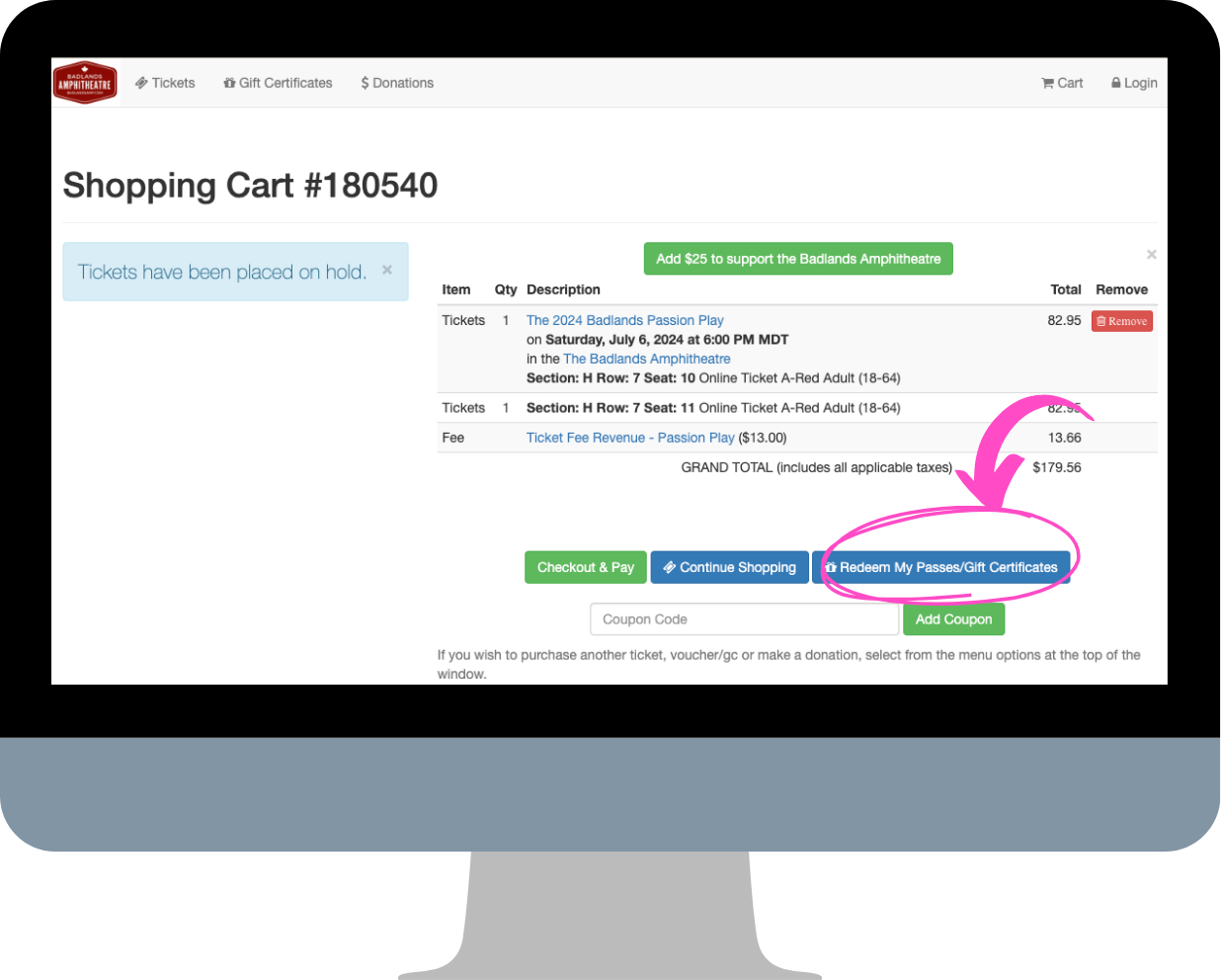
In the Shopping Cart, scroll to the bottom and click:
Redeem My Passes / Gift Certificates
(⚠️ Do not click “Add Coupon”—this is for a different type of coupon) -
Select Apply or Use a Pass I’ve Been Given
-
Your total will update to reflect only extras like parking or additional tickets
-
Click Checkout & Pay
-
Download your tickets to your phone or print them
Need Help?
We want your booking experience to be smooth.
📞 Call the Box Office: 403-823-2001
🕘 Hours: Monday to Friday, 9:00 AM – 4:00 PM
♿ For special requests like accessible seating, please contact us.